Toolbar placement
The ToolbarElementLocator uses nested arrays to locate elements.
The syntax looks like this :
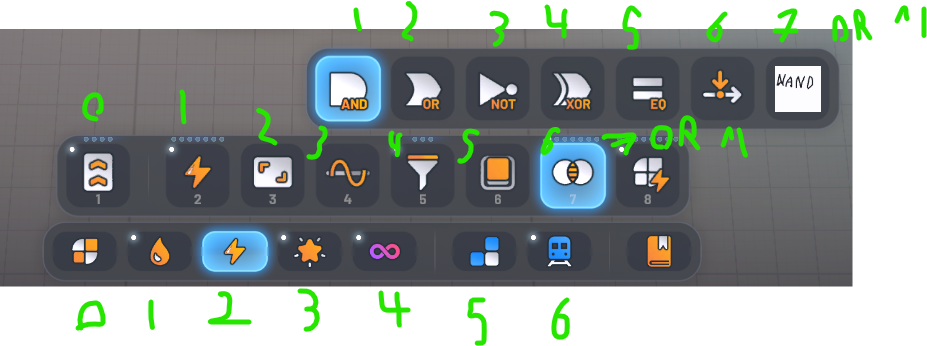
ToolbarElementLocator.Root().ChildAt(2).ChildAt(6).ChildAt(^1).InsertAfter()
This example add the element in the 3rd slot of the bottom toolbar, in the 7th slot of the top one, at the end of the variants. ^1 is the last element of the list.
The toolbar element location is used in the AtomicBuildingExtender
AtomicBuildings.Extend()
    ...
    .InToolbar(_location)
    ...